2.0 KiB
VBV Lernwelt
Project setup is based on cookiecutter-django project template.
Run for development
# run tailwind cli (on project root folder!)
npm run tailwind

# run vue vite dev server
cd client && npm run dev

# reset db and run django dev server
./prepare_server.sh
Installation
See .tool-versions file for used django and node version
You have to set up at least the following environment variables:
export IT_APP_ENVIRONMENT=development
See .env_secrets/local_daniel.env for more possible environment variables.
Especially set correct values for POSTGRES_* and DATABASE_URL
Server part
The "prepare_server.sh" script will create the database according to POSTGRE_* environment variables.
It will also setup the tables for django and run the django development server.
# will initial`migrate` and `runserver` etc...
./prepare_server.sh

# or async server
# uvicorn config.asgi:application --host 0.0.0.0 --reload
Client part
npm install

# run dev server
npm run dev
General part
Cypress and TailwindCSS ist installed for client and server, so there is this package.json on the project root directory
npm install
Deployment to CapRover
# run deploy script
./caprover_deploy.sh
IntelliJ Configuration
- In the .idea/vbv_lernwelt.iml file change the module type to "PYTHON_MODULE".
- Add django facet in "Project Structure".
- Run configuration with "Python -> server.py" to have async debugging support.
Optional
Install the EnvFile Plugin
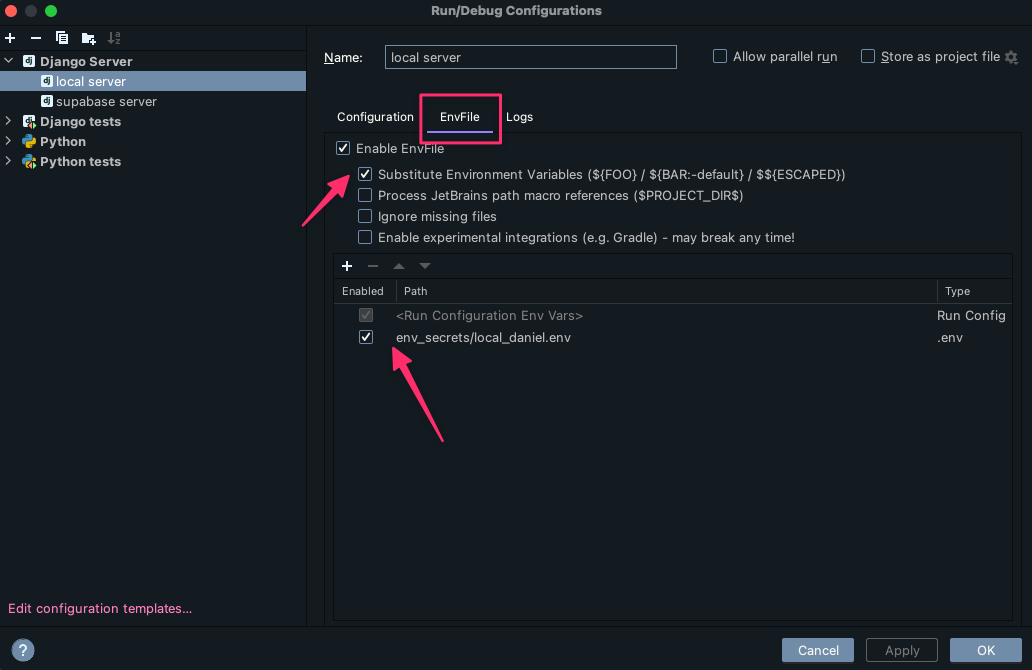
Install the tailwind css Plugin from Jetbrains
Wagtail API intro
get all pages:
http://localhost:8000/api/v2/pages/
get Analyse Circle (the one with the most demo data)
http://localhost:8000/api/v2/pages/?title=Analyse
Get Circles only
http://localhost:8000/api/v2/pages/?type=learnpath.Circle
Get All Contents from that circle: